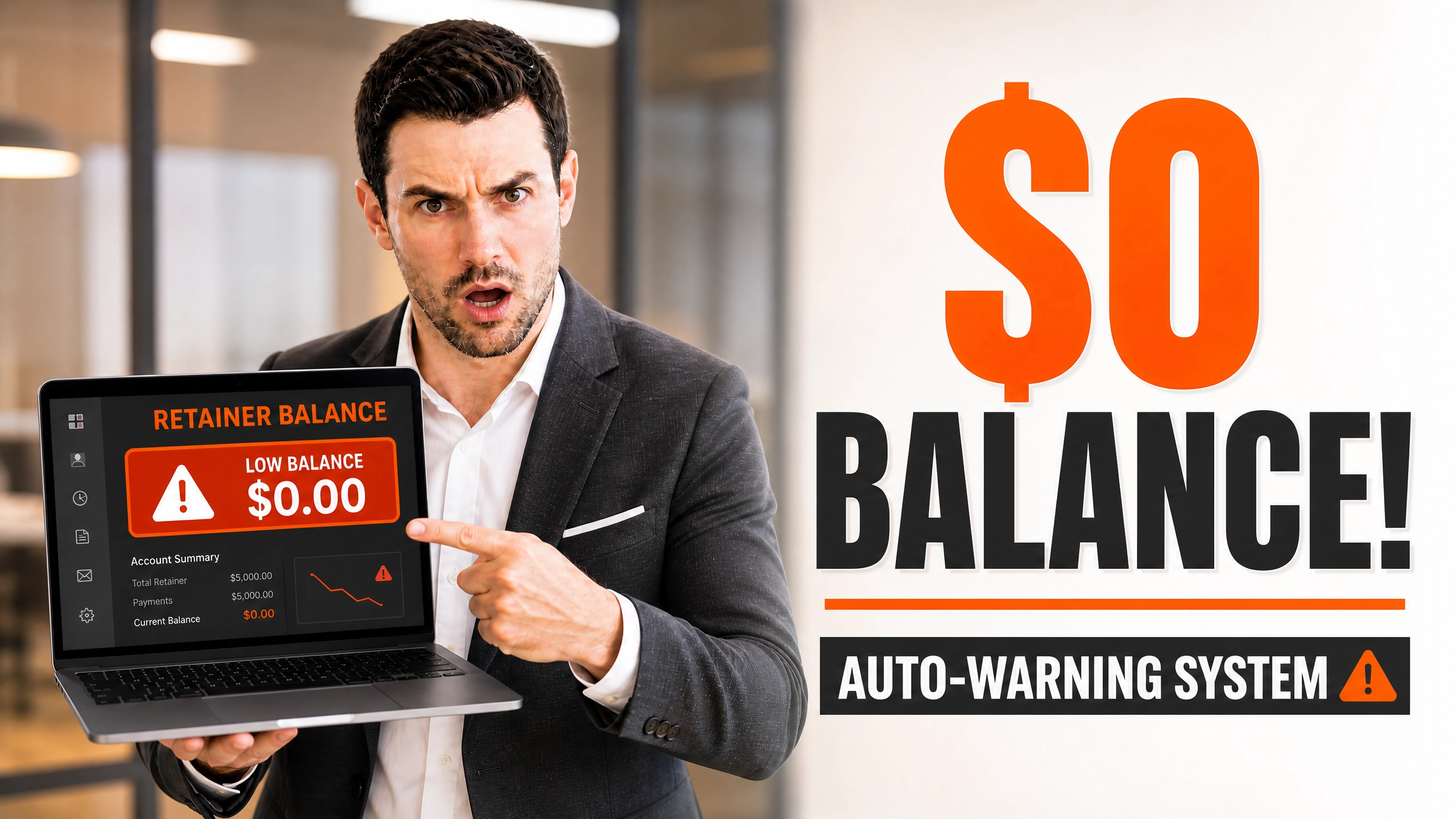
Imagine reviewing your weekly time logs and realizing your prepaid retainer quietly reached zero three days ago.
The project is progressing well. The client is satisfied. Your team has already delivered another 15 hours of work.
Then the overage invoice goes out.
Suddenly the client says those extra hours were never approved.
What looked like a productive week instantly becomes a payment dispute.
This situation is far more common than many freelancers and agencies realize. The good news is that it is also highly preventable with clear contractual procedures and automated retainer notifications.
It was a mistake that cost me thousands of dollars and weeks of lost sleep.
I had a client on a monthly retainer. They bought 40 hours of my agency’s time.
Things were going great. The project was moving fast. We were knocking out deliverables left and right.
But I wasn’t watching the clock closely enough.
By week three, we had blown past the 40-hour mark. We hit 55 hours.
I figured it was fine. The client was happy, right? I assumed we would just bill the overage on the next cycle.
Here’s the thing: I was entirely wrong.
When I sent the invoice for the extra 15 hours, the client panicked. They claimed they never authorized the extra work.
They used the designs we created during those unpaid hours. Then, they simply refused to pay the overage.
Eventually, they delayed the next month’s payment. Then, they stopped responding entirely.
If you are wondering what to do when a client uses your work but refuses to pay you, you are already in the danger zone.
You should never have to fight for money you clearly earned.
This is why you need a system. A cold, emotionless, automated system.
Today, we are talking about The Retainer Exhaustion Warning: How to Auto-Notify Clients When Their Balance Hits $0.
If your hourly buckets run dry before the next billing period updates, you need this protocol.
It is time to systematize your boundaries.
According to the Freelancers Union, payment delays remain one of the most common financial challenges faced by independent professionals.
Table of Contents
The Silent Overrun Disaster

Let’s talk about how this happens.
Most freelancers and agency owners want to be helpful. We want to be a partner to our clients, not just a vendor.
So, when the client asks for “one more quick change,” we do it.
We don’t stop to check the Toggl dashboard. We don’t verify the retainer balance.
This is the Mistake.
The mistake is relying on manual tracking and human memory in a fast-paced creative environment.
The Consequence is the silent overrun. You end up doing 10, 15, or 20 hours of unbilled work.
If you are tired of this, you need to stop working for free and prevent scope creep from eating your profits.
The Law surrounding this is complicated.
If you work past a prepaid retainer without written authorization, you operate in a legal gray area.
You are relying on “implied contracts” or a legal concept called Quantum Meruit (payment for the reasonable value of services).
Written contracts are generally much easier to enforce than implied agreements because they provide clearer evidence of each party’s obligations. If a dispute reaches court or arbitration, a written authorization for additional work usually reduces uncertainty.
If you continue providing services after the prepaid retainer is exhausted without obtaining written approval for additional work, you may significantly increase your financial and evidentiary risk if a payment dispute later arises.
The safest operational approach is to establish a documented pause point once the prepaid retainer is fully utilized unless additional work has been authorized in writing.
Setting Up Real-Time Automated Threshold Warnings
You cannot rely on your memory to warn clients. You need a technological safety net.
I call this The Proactive Operational System.
It is a highly administrative, automated sequence that removes the emotion from billing.
Here is how the flow works in a standard tech stack (like Harvest, Toggl, or Clockify connected to Zapier).
The Warning Flow Diagram :
- Trigger 1 : Time logged reaches 75% of total retainer hours.
- Action 1 : Automated email sent to client (“Heads up: We are at 75% capacity”).
- Trigger 2 : Time logged reaches 90% of total retainer.
- Action 2 : Urgent automated email (“Warning: 90% reached. Work pausing soon”).
- Trigger 3 : Time logged reaches 100%.
- Action 3 : Stop-work notice dispatched. Internal team notified to down tools.
Listen, this setup takes maybe two hours to build in Zapier.
But it will save you from ever having to search for how to recover an unpaid invoice yourself.
At 75%, the client feels informed. They feel like you are managing their budget responsibly.
At 90%, the psychological urgency kicks in. They know a decision is required.
By the time it hits 100%, there is no surprise. The pause in work is entirely expected.
The ‘Work Stoppage Threshold’ Configuration
What actually happens when the balance hits $0 ?
Many freelancers freeze. They don’t want to upset the client.
They keep working, hoping the client will retroactively approve the budget.
This is terrible business practice.
Consider including a clearly defined Work Stoppage Threshold within your Master Services Agreement so both parties understand exactly when work pauses and how additional hours are approved.
If you don’t have this in writing, you need to learn how to structure a proposal so it functions like a real legal defense contract.
The threshold configuration means that at $0, all production ceases immediately.
No exceptions. No “just this one small edit.”
If the client wants the work to continue, they must authorize a “Re-Up” in writing.
This protects you legally. It turns an ambiguous situation into a documented binary choice.
Either they fund the next bucket of hours, or the project sleeps.
USA vs Global Legal Comparison on Work Stoppages

Let’s look at the legal realities of pausing work.
In the United States, commercial contracts are heavily influenced by the Uniform Commercial Code (UCC) and common law.
Under US common law, if a client fails to replenish a required retainer, it is often considered a material breach of contract.
Depending on the governing contract and applicable law, a service provider may have the contractual right to suspend further performance after a material payment default or retainer exhaustion.
You can read more about contractual performance standards via resources at the Cornell Law School Legal Information Institute (.edu).
If you are working with clients across borders, you have to protect yourself when working with international clients.
In the UK, the Late Payment of Commercial Debts (Interest) Act 1998 gives you statutory rights to pause work and charge interest.
You can verify these statutory limits directly through UK Government legislation archives (.gov.uk).
If you are dealing with UK or US clients, always know if you can legally charge interest on late invoices.
But what about India ?
India vs Global : The Contractual Landscape
In India, the Indian Contract Act of 1872 governs these relationships.
Specifically, Section 51 through 54 deals with the performance of reciprocal promises.
If your client promises to maintain a retainer, and you promise to do the work, their failure to pay excuses your performance.
You can review the bare act on the India Code legislative portal (.gov.in).
However, Commercial disputes in India can take considerable time depending on the court, jurisdiction, procedural complexity, and case backlog. For many freelancers, preventing disputes through strong documentation is far more practical than litigating them.
If you continue working past the $0 mark in India, recovering that money through a civil suit is a decade-long nightmare.
Globally, courts in the US, UK, and Australia offer faster small claims tracks or statutory demands.
In practice, a well-drafted contract, detailed time records, written approvals, and consistent communication together provide your strongest protection if a payment dispute develops.
Therefore, your automated stoppage threshold isn’t just a courtesy. In India, it is a matter of financial survival.
Never keep coding or designing on an empty retainer.
If they push back, you might have to figure out how to revoke access to Figma files after non-payment.
Re-Up Messaging Blueprints That Convert Instantly
When the automated warning hits, the messaging must be flawless.
It cannot sound angry. It cannot sound like a threat.
It must sound like a helpful system update.
Here is the exact blueprint for the 75% warning.
The 75% Soft Warning (Send via email or Slack) :
“Hi [Name], just a quick administrative update. We have reached 75% of our retainer hours for this cycle.
We are making great progress on [Feature]. We have about [X] hours left before the bucket is empty.
No action needed right now, just keeping you in the loop on your budget!”
See how calm that is ?
It is entirely informational.
Now, let’s look at the 100% Work Stoppage Notice.
The 100% Hard Stop (Send via email) :
“Hi [Name], we have successfully utilized the final hours of this month’s retainer.
To ensure we don’t accidentally overbill you, I have paused active production on [Project].
If you’d like us to keep the momentum going this week, just reply ‘Approved’ and I will load a new bucket of 10 hours for $X.
Let me know how you’d like to proceed!”
This wording is effective for several practical reasons.
First, it frames the work stoppage as a favor to them. You are “protecting them from overbilling.”
Second, it provides a frictionless path forward. They just have to reply “Approved.”
By the way, if you do this via WhatsApp, you might wonder: can a WhatsApp chat count as a legally binding contract?
In many jurisdictions, an email or electronic message confirming additional work may serve as evidence of a contract modification, although the legal effect depends on the governing law, the original contract, and the surrounding circumstances.
Interactive Tool : The Retainer Notice Generator
To make this easier, I built a quick HTML tool you can use to generate your own notices.
Save this code block as an .html file on your desktop and open it in your browser.
Retainer Exhaustion Notice Generator
Generate professional, automated client communication drafts in seconds.
Use this tool to remove the friction from your communication.
Never let your emotions dictate how you ask for money.
What Happens If You Ignore This ?
Let’s say you ignore my advice.
You keep working. The balance is zero. You log 30 extra hours.
You send the invoice. The client ignores you.
Now, you have a massive problem.
You might find yourself researching the exact follow-up timeline for late freelance invoices.
Or worse, the client vanishes entirely, and you are left wondering, client ghosted me after I sent the invoice, what do I do now?
When you work without an active, funded retainer, you lose all your leverage.
The client already has the work. They have the deliverables.
If they already deployed your code or published your designs, your options shrink.
You might have to resort to aggressive tactics, like figuring out how to write a clean cease-and-desist letter if a client steals your code.
Or maybe you will need to learn how to freeze a live domain legally if they launched a site without paying the overage.
It is exhausting. It drains your creative energy.
This is why The Retainer Exhaustion Warning is mandatory.
Risk Matrix : Working Past $0
Here is a breakdown of the actual risks you take when you ignore the threshold.
- Risk Level: HIGH
- Scenario: Working on un-watermarked final assets past $0.
- Impact: Client takes assets, ignores invoice, claims work was “included.”
- Mitigation: Hard stop at 100%. Use a content kill clause in your MSA.
- Risk Level: MEDIUM
- Scenario: Doing discovery or strategy calls after retainer depletion.
- Impact: Unpaid time. Hard to prove the value of “ideas” in court.
- Mitigation: 90% warning explicitly states strategy calls will be paused.
- Risk Level: LOW (But Annoying)
- Scenario: Minor bug fixes past $0.
- Impact: Scope creep. Slowly bleeds your profitability over months.
- Mitigation: Clear contract language defining what constitutes a “bug” versus a “new feature.”
If things get really bad, and they demand their money back because you paused work, you are in a messy dispute.
You need to know what to do when a client demands a full refund over one bug.
Never put yourself in that position.
Contemporary electronic evidence—including emails, project management records, and time-tracking logs—is frequently relied upon when resolving commercial payment disputes.
The Evidence Checklist for Disputed Retainers
If you are forced to take legal action over unpaid retainer overages, you need proof.
Judges don’t care about your feelings. They care about paper trails.
Here is exactly what you need to collect if a client disputes the hours:
- The Original MSA : Signed, dated, showing the hourly rate and retainer limits.
- The Time Logs : Exported from Toggl/Harvest, showing detailed timestamps.
- The 75% Warning : A screenshot or email PDF showing you warned them.
- The 100% Notice : Proof you notified them the balance hit zero.
- The Re-Up Authorization : The exact email or text where they said “keep working.”
If you don’t have step 5, you have a weak case.
If you are dealing with a corporate client and you worry they are dodging you due to insolvency, you have bigger issues.
You need to understand what if a corporate client goes bankrupt while owing you money.
Having an automated warning system prevents your exposure to a dying company.
You cap your losses at exactly $0.
Common Mistakes
Avoid these common errors when managing prepaid retainers:
- Continuing work after the balance reaches zero without written authorization.
- Accepting verbal approval without a follow-up email.
- Delivering final source files before payment arrangements are confirmed.
- Failing to maintain detailed time records.
- Using vague contract language about retainer replenishment.
Payment Terms and Cash Flow Protection
Let’s touch on how payment terms interact with retainers.
If a client agrees to Re-Up the retainer, when do they actually pay you ?
This is where freelancers get trapped.
The client says “Approved!” at the 100% mark. You keep working.
But you send the invoice with Net 30 terms.
Now, you are floating them a 30-day loan.
You must understand Net 15 vs. Net 30 vs. Net 45 and which payment terms protect your cash flow.
For retainer overages, the terms should be “Due upon receipt” or at worst, Net 7.
Do not offer Net 30 on retainer Re-Ups.
If you do, you are just financing their business with your sweat equity.
If you want to avoid terrible payment cycles entirely, review this freelancer payment terms guide to avoid Net 60.
Extreme Scenarios : When the Client Retaliates
Sometimes, clients react poorly to a hard stop.
They might claim you are holding their business hostage.
They might demand you hand over the raw files before they pay the overage.
Never cave to this.
If they demand native files while holding a $0 balance, you have to hold the line.
Read exactly what to do when a client is asking for PSD files or AI files before payment.
Your files are your leverage.
Once you hand over the source code or the raw design files, you will never see that money.
Even worse, they might threaten to sue you for “damaging their business” by pausing work.
This is an empty threat, provided your contract clearly states work stops when funds deplete.
Just in case, some developers wonder, can I shut down a client’s server for non-payment?
You have to tread very carefully there. Pausing future work is legal. Destroying past work is a crime.
Always focus on protecting the future hours.
Quick Decision Section
Are you currently working on a depleted retainer ?
Stop right now.
If you are at 75%: Send the soft warning template today. If you are at 90%: Send the urgent check-in. Prepare to down tools. If you are at 100%: Send the hard stop notice. Do not open Figma. Do not open VS Code.
Wait for the written approval.
If they delay, let them delay.
Your time is your inventory. Do not give it away to people who won’t respect its value.
Implement the automated warnings this weekend.
Connect Zapier to your time tracker. Set the rules.
Let the automation handles the routine administrative reminders, allowing you to focus on client work instead of repeatedly monitoring retainer balances.
Automated operational workflows reduce reliance on memory and help create consistent documentation throughout the client relationship.
Professional Practice Note
The recommendations in this guide are intended as operational risk-management practices rather than universal legal rules. Contract law varies across jurisdictions, industries, and the specific wording of each agreement. Before implementing automated work stoppages or modifying client contracts, review your existing agreement and obtain local legal advice where appropriate.
Work Stoppage Threshold
Retainer Remaining Recommended Action Client Experience 75% Courtesy notification Budget awareness 90% Request replenishment decision Planning time 100% Pause production pending written approval Prevents unexpected billing
Frequently Asked Questions
What if my client gets angry about the automated 75% warning ?
They rarely do. Most clients appreciate the transparency. It shows you are actively managing their budget and preventing surprise bills at the end of the month.
Can I legally stop work if we are in the middle of a critical launch ?
Yes, unless your contract specifically guarantees delivery regardless of retainer status. If the contract states work is billed hourly against a prepaid bucket, your obligation ends when the bucket empties.
Do I need a lawyer to draft the work stoppage clause ?
Not necessarily. Simple, plain English works best. “Agency will pause all production when the prepaid retainer reaches $0. Work will resume upon written authorization of additional funds.”
What if the client verbally tells me to keep working over the phone ?
Never accept verbal approvals. Follow up immediately with an email: “As discussed on our call, you have approved an additional 10 hours at $X/hr. I will resume work now.”
How do I transition an old client to this new strict system ?
Send an email before the next billing cycle. “Hi [Name], to improve our budget tracking, we are implementing automated retainer alerts. You will now receive a heads-up when your hours hit 75% and 100%.”
About the Author
Adv. Sagar Haribhau Shirsat is an active legal professional specializing in commercial transaction architectures, cross-border corporate compliance, and digital debt recovery systems. He designs strategic asset-protection and recovery frameworks that help freelancers, independent contractors, and global agencies defend their cash flow and enforce their billing rights.
Connect via his Official Professional LinkedIn Profile.
Disclaimer : This guide is intended for educational purposes and risk management analysis. It does not replace formal legal counsel. For specific cross-jurisdictional contract disputes, always consult a certified attorney or local legal advocate.
5 thoughts on “The Retainer Exhaustion Warning: How to Auto-Notify Clients When Their Balance Hits $0”